
To begin with, let's briefly understand what USDT is. Essentially, it is the same dollar, only in crypto. 1 USDT = 1 USD (dollar). And when we say 'cryptodollar' in the article, remember that we are talking about USDT. My team and I have prepared two commonly used options for your convenience. Namely how to buy USDT with your card via P2P and simply with crypto exchanges.
First option: P2P
What is P2P? Briefly and simply, this is an exchange of a crypto asset (in our case, USDT for any “fiat money”).
“Fiat money”, in simple words – is ordinary money that you spend in a store.
In our case, we have this fiat money and we want to carry out an exchange with another person who has an appropriate amount of USDT we need but does not have fiat. That person needs some money on the card, and I need crypto. So, we are making an exchange. The exchange acts as a security guarantee for your money..
Correspondingly, we will have to register on one of such exchanges and undergo the verification for further P2P functionality usage.
For this purpose, you can use one of the leading exchanges, Binance, it can surely be trusted.
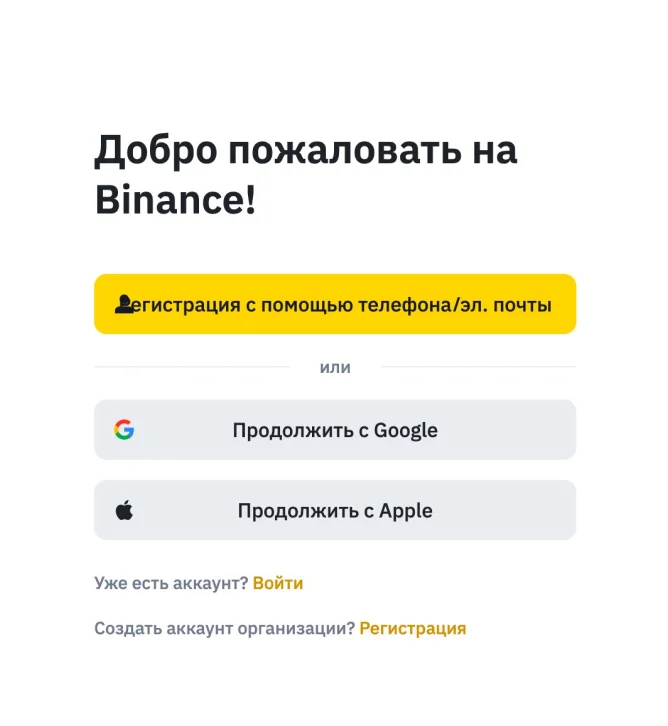
Registration link with a bonus – Link
After the registration, it is obligatory to undergo ID verification. So that the exchange could provide the advanced functionality that we need.
After all the steps, we move on to the most interesting part, deposit your exchange account.
STEP 1. Check the mode, it must not be in the wallet mode, but a PRO-version. You can check it by clicking the MAIN SQUARE. I will call it like that. You can find it in the upper left corner of the application, it is impossible to miss it.
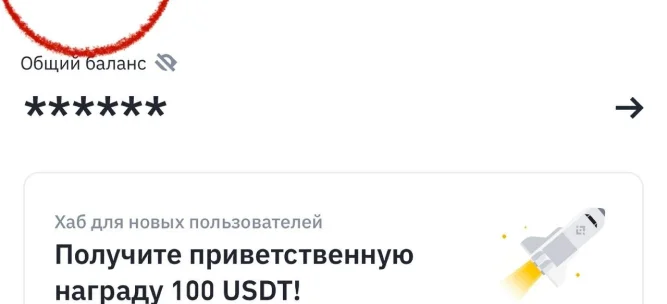
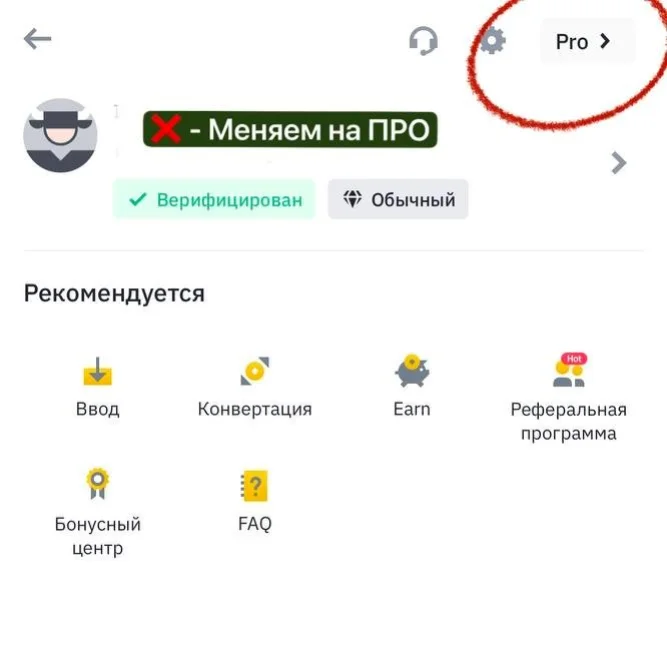
STEP 2. Check the exchange mode. How to do that? It is easy. If the system asks you to switch to the PRO version when you click the MAIN SQUARE, it means – you are in the LIGHT version, so you must switch to PRO by clicking the PRO button.
But more often, 80% of users are being asked to switch to the LIGHT version. If you are among those 80% – you DO NOT NEED TO DO ANYTHING! YOU ARE READY TO LAUNCH!
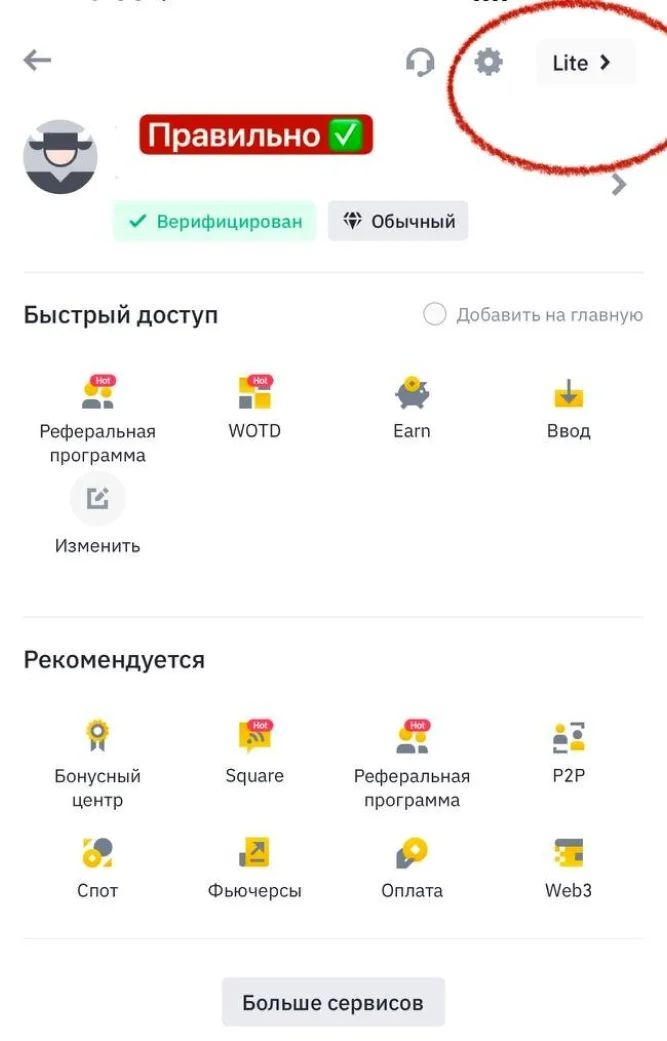
After switching to the PRO version, you need to find the P2P section in the MAIN SQUARE. If you cannot find it there, feel free to click the ‘More services’ button and look for the P2P section over there.
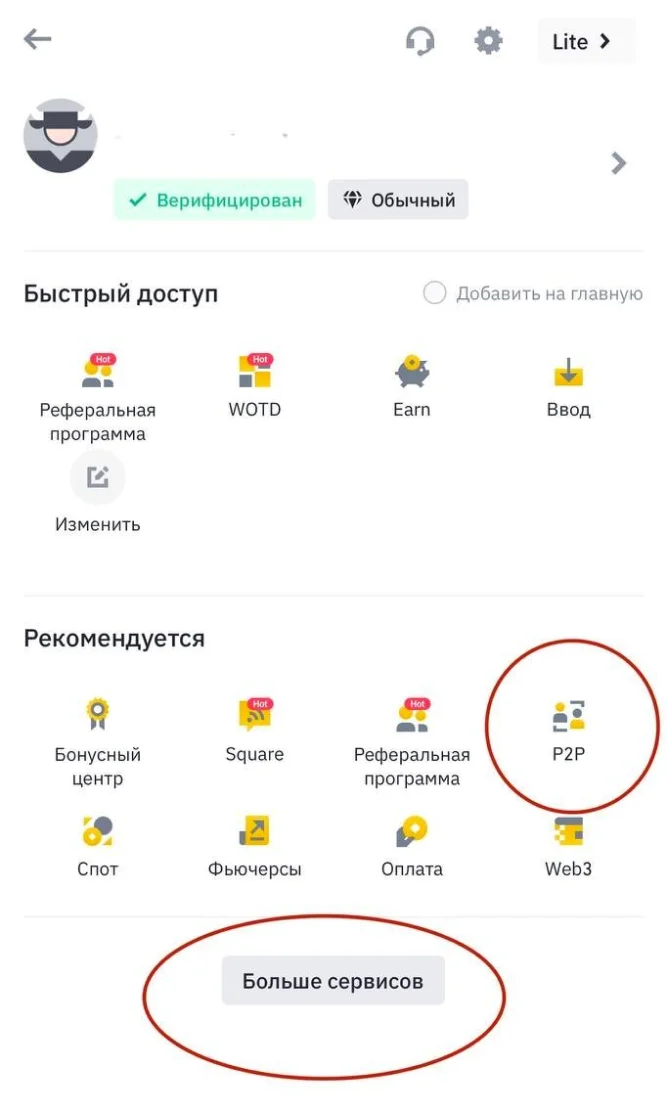
You’re set! You are on the P2P and finally can exchange your money from the card to the USDT.
But how can I do it?
STEP 1. Make sure you select the currency you need in the upper right corner (in my case, it is UAH. So you can select any other fiat, which you have on your card, USD/EUR/PLN/GBP – enter your currency here!)
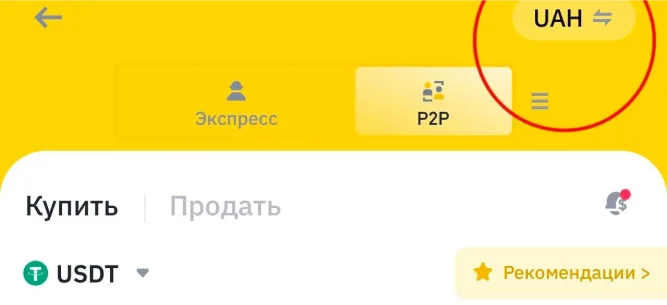
STEP 2. Choose the ‘BUY’ section:
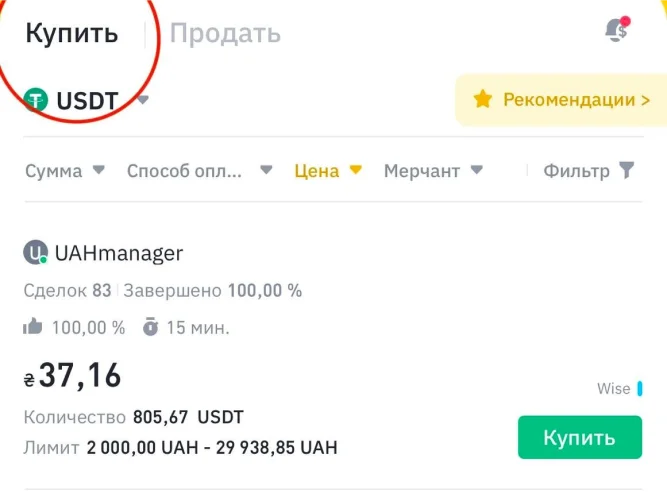
STEP 3. Check the cryptocurrency you want to exchange your fiat. In 99%, it will be USDT, but it is better to double-check.
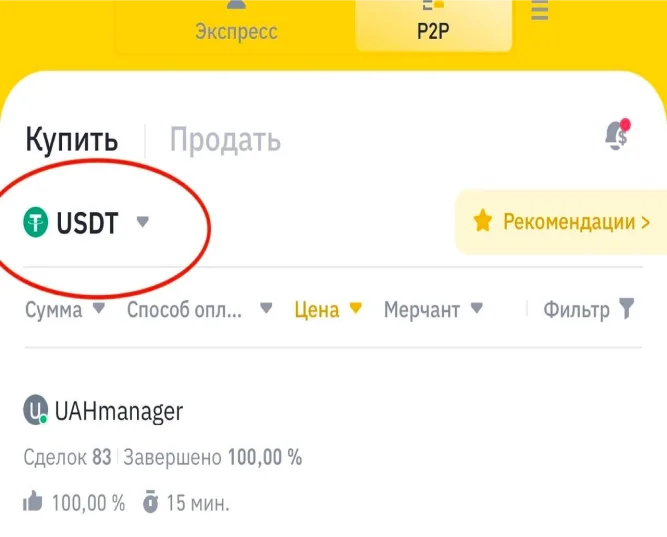
STEP 4. Select the sum you need in the filters and BE SURE TO CHECK THE PAYMENT METHOD (in my case, it’s Monobank and 5,000 UAH).
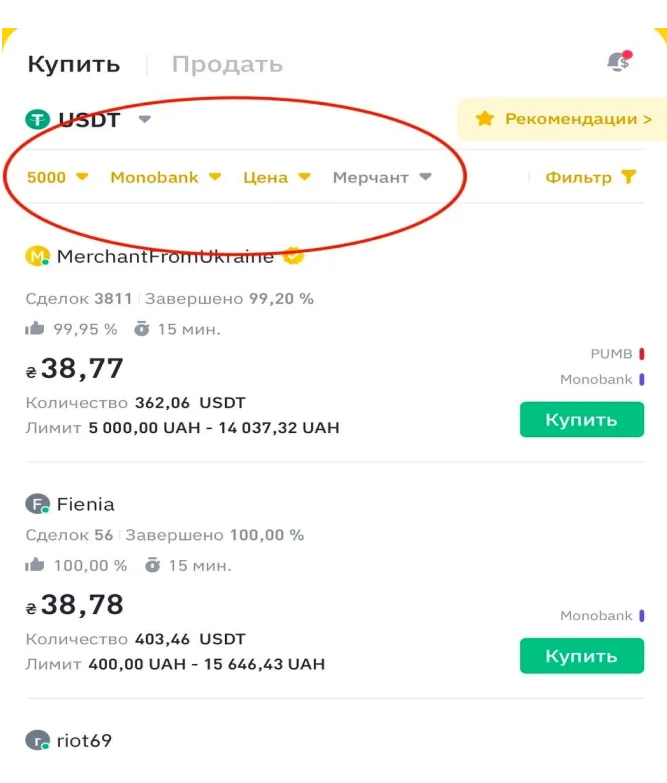
STEP 5. Look through the sellers’ offers on the market. The priority is to choose long-term traders. Also, pay attention to the following factors when choosing a seller:
- Seller is online (the green circle on seller’s avatar);
- The number of deals for the last 30 days must be 100+;
- Seller’s closed deals rate must be over 97%;
- Seller must have the amount of money you need.
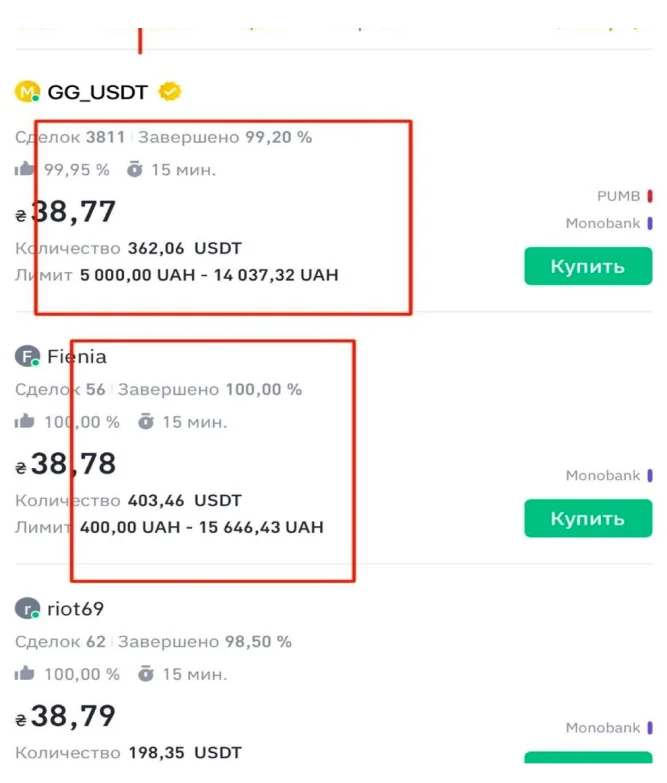
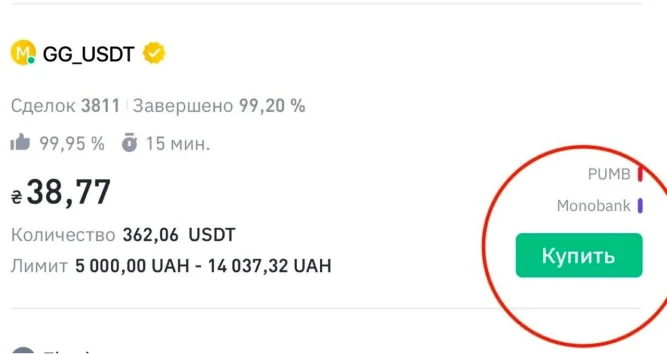
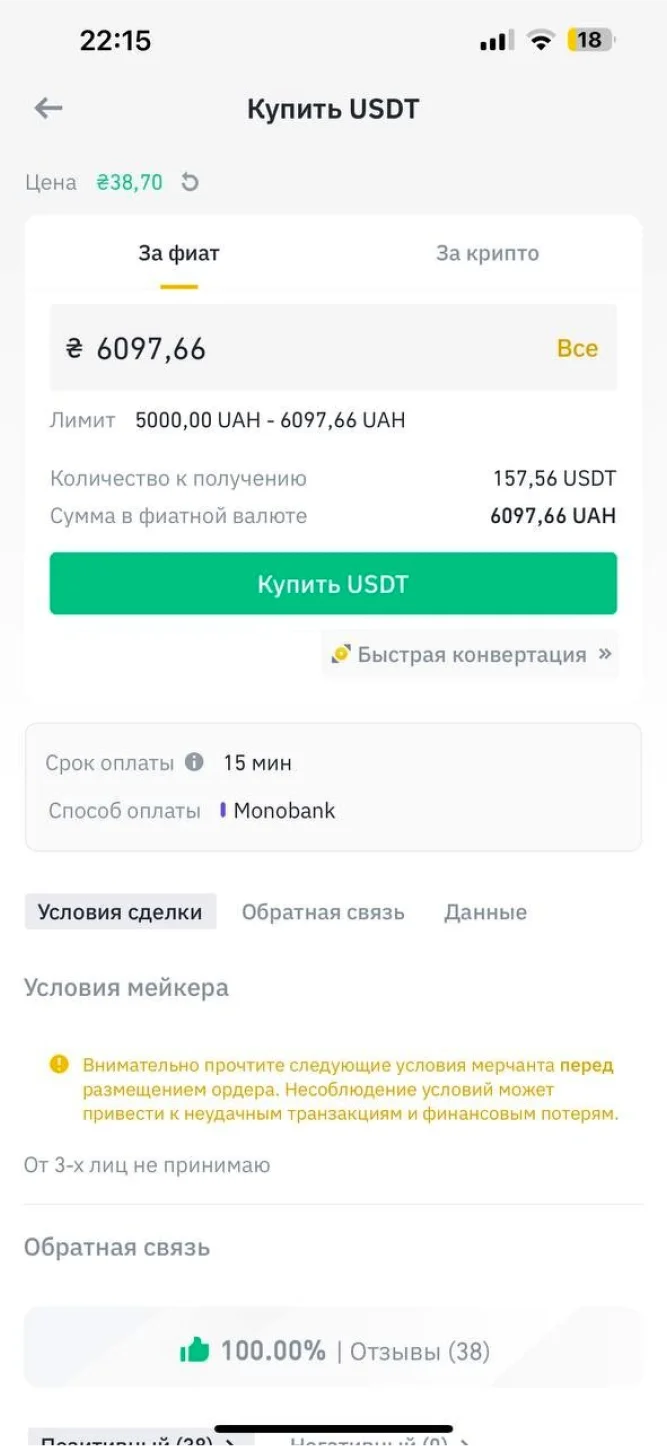
STEP 6. After the seller is chosen, click the ‘Buy’ button and check out the deal conditions. If they do not fit you, look for another seller. If everything is OK, you can buy cryptocurrency.
STEP 7. Open the deal with a seller. Click ‘Pay’ and you can see the payment details by which you can pay, and next carry out the transaction.
STEP 8. After you have done the transaction, BE SURE TO CLICK THE ‘PAID’ BUTTON! If this step is ignored, it can cause long investigations and you risk losing your assets.
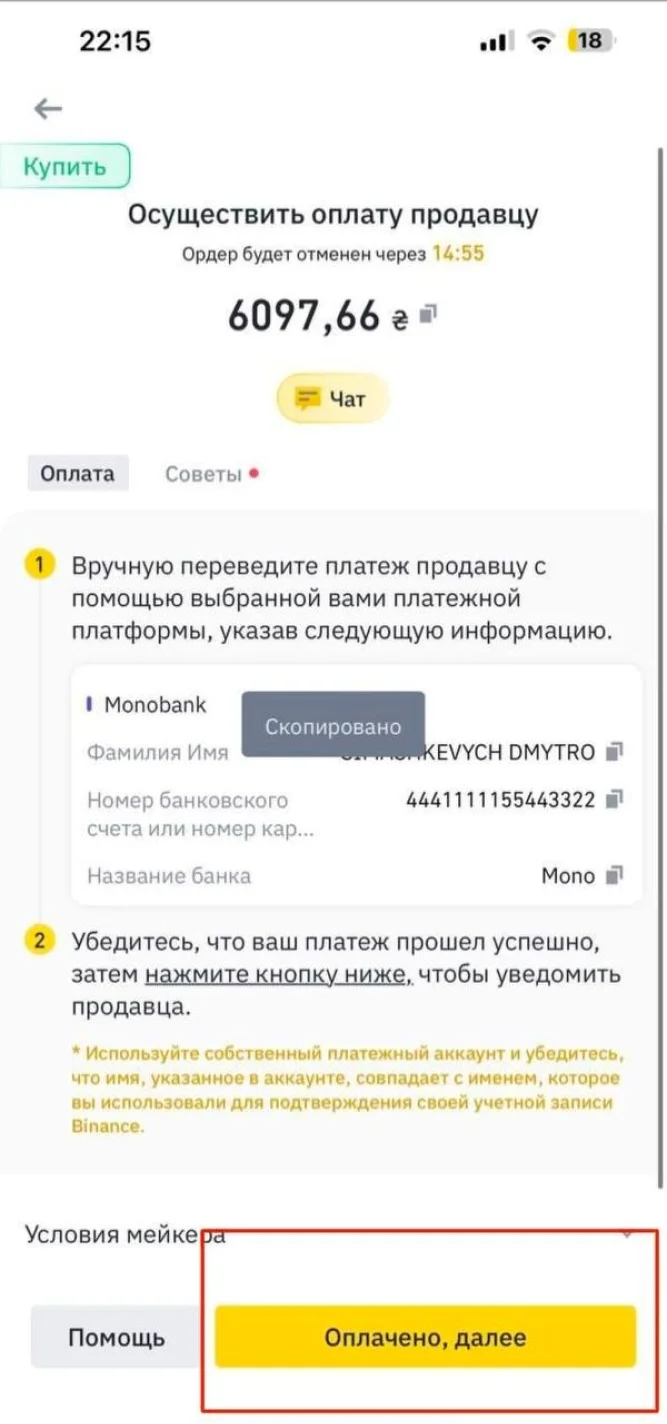
If there is no answer from that side, be sure to communicate with the seller via chat!
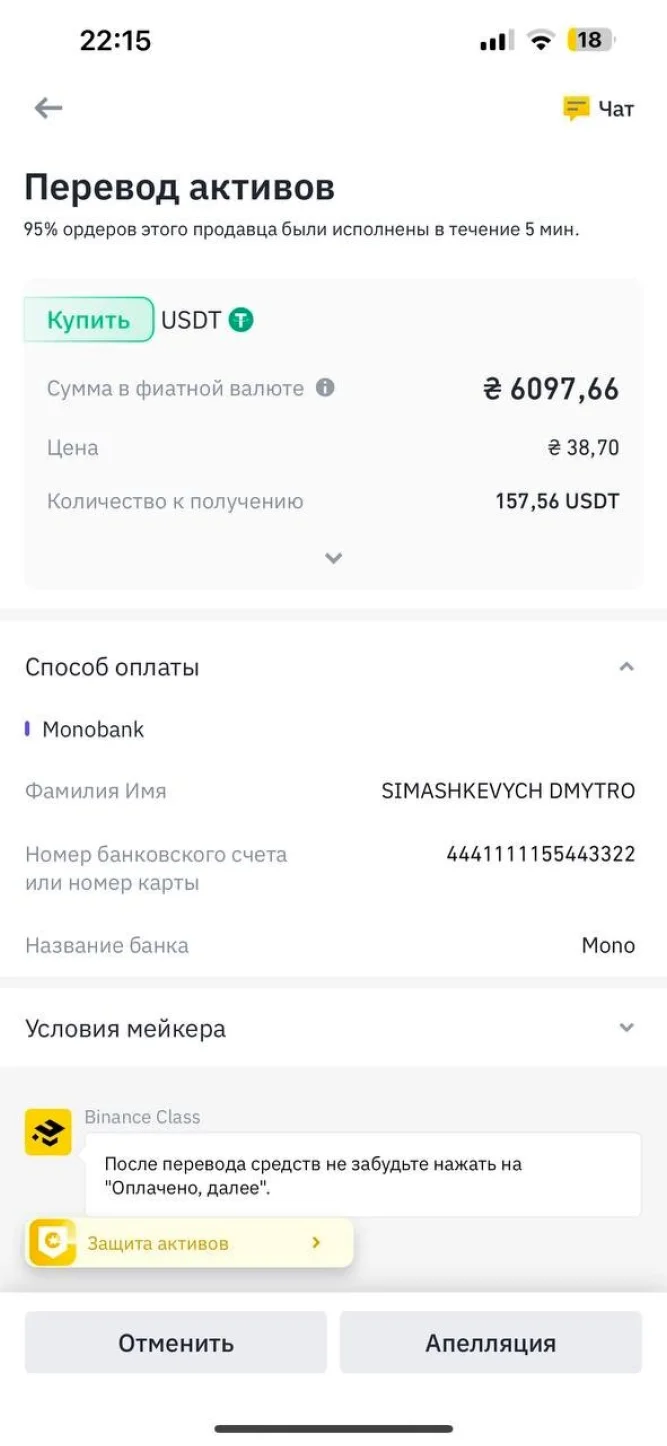
STEP 9. That’s it! USDT successfully appeared in your account.
I repeat that the exchange acts as a guarantor of your trading exchange with other people. But don't forget about security. Do not communicate with anyone outside of the exchange chat in any case. Check your payment details and check who you are sending to.
But first, let’s briefly find out what USDT is. Essentially, it is the same dollar but in crypto. 1 USDT = 1 USD (dollar). So, when you read cryptodollar in this article, you must know that we are talking about USDT. For your convenience, our team prepared two wide-spread options. In particular, how to buy USDT with your card via P2P and simply via crypto exchanges.
OPTION 2. CRYPTO EXCHANGE.
In fact, it is a long story about how exchanges work, let's skip it. Their functioning is quite intuitive.
Where to find exchanges that you can trust?
There are monitoring services that have been operating on the market for a long time. I would call one of the most popular, BEST CHANGE.
Here is the link – https://www.bestchange.ru
Although everything here is intuitive, it still has to be explained.
1. When we enter the website, we can get lost and meet numerous hard-to-understand buttons. To avoid confusion, we pay attention only to the upper right corner sections: ‘TABLE’, ‘LIST’, and ‘POPULAR’.
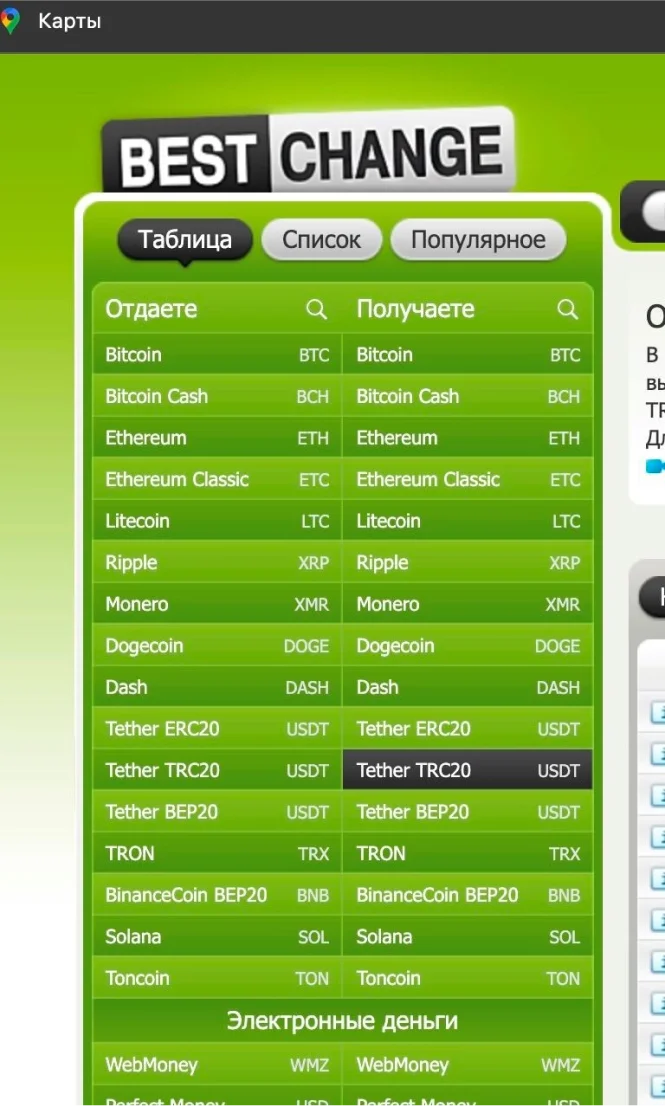
Click the ‘LIST’ section:
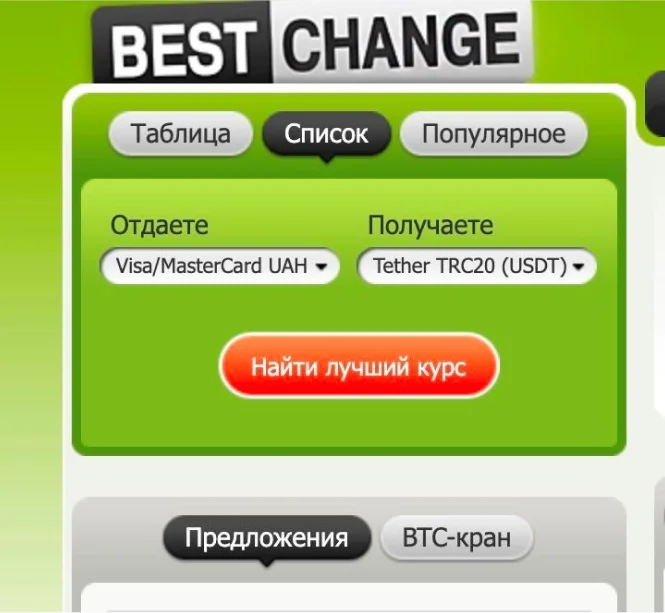
Here in the ‘LIST’ section we select the exchange pair that we need! In simple words, what we exchange on what! In my case, I will give an example of my UAH – USDT pair.
THE MOST IMPORTANT WHILE WORKING WITH EXCHANGES IS TO KEEP AN EYE ON NETWORKS. Because if you choose the wrong network, your money will disappear!
I recommend working in the TRC20 network, later the “TRON network".
IMPORTANT!
Therefore, you should choose the Visa/MasterCard – Tether TRC20 (USDT) pair.
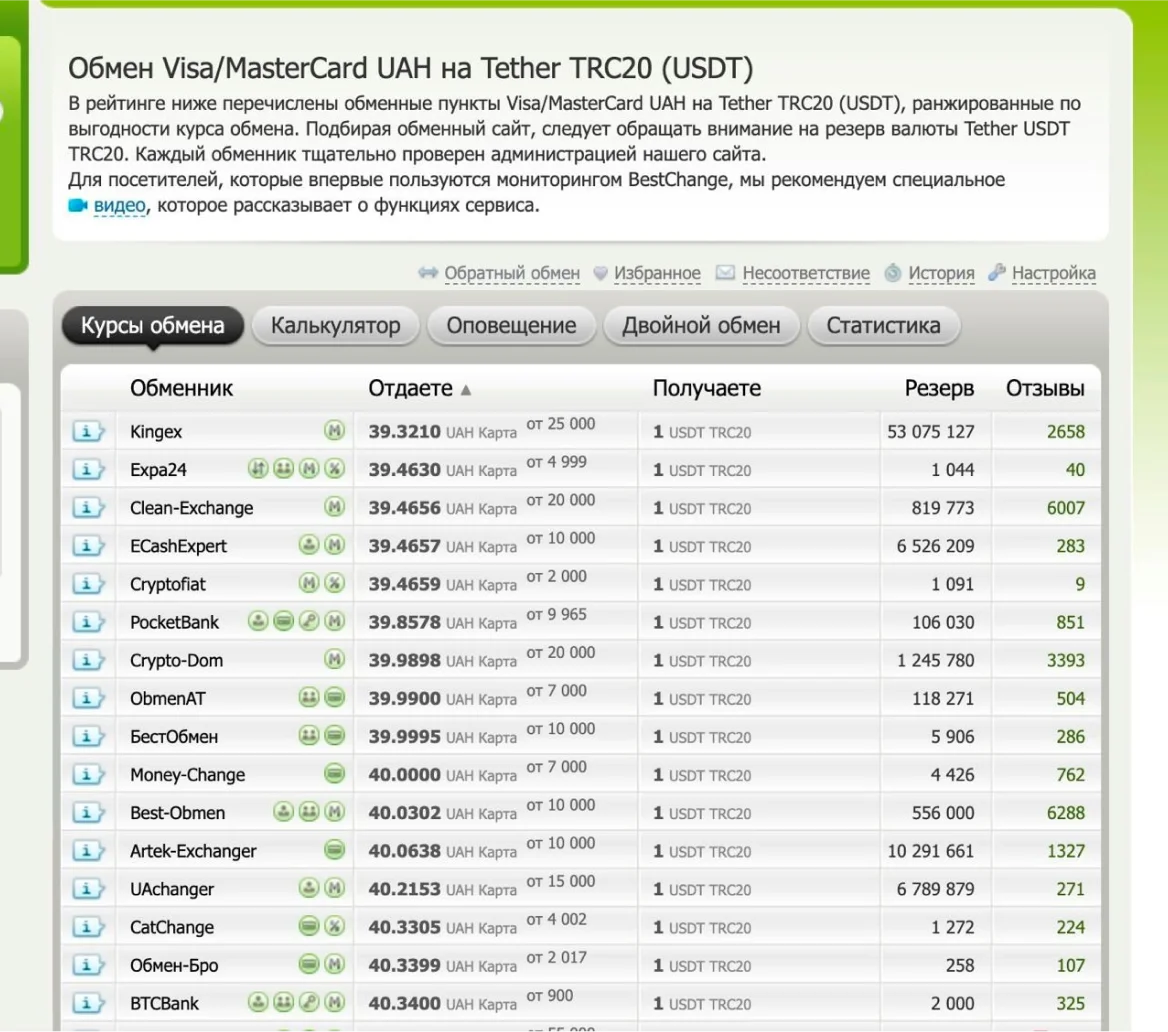
Here we can see the list of exchanges that have been operating on the market for several years and they can be trusted. Select any (according to feedback / minimal sum from / exchange rate/interface and simplicity, etc.)
For example, let’s review the first exchange:
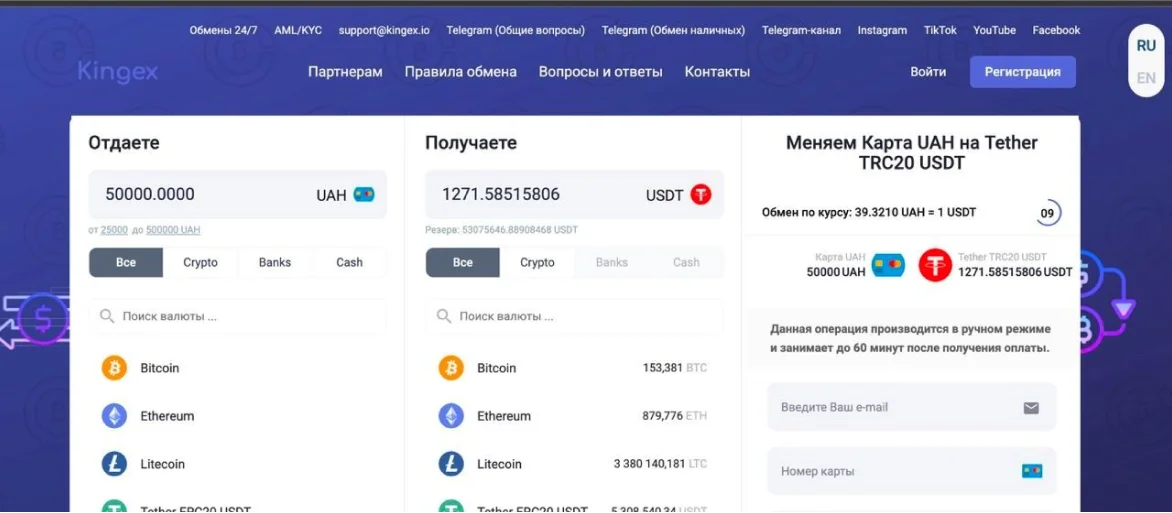
The minimal exchange sum is 25,000 UAH, which is acceptable in this case. If not, look for another exchange.
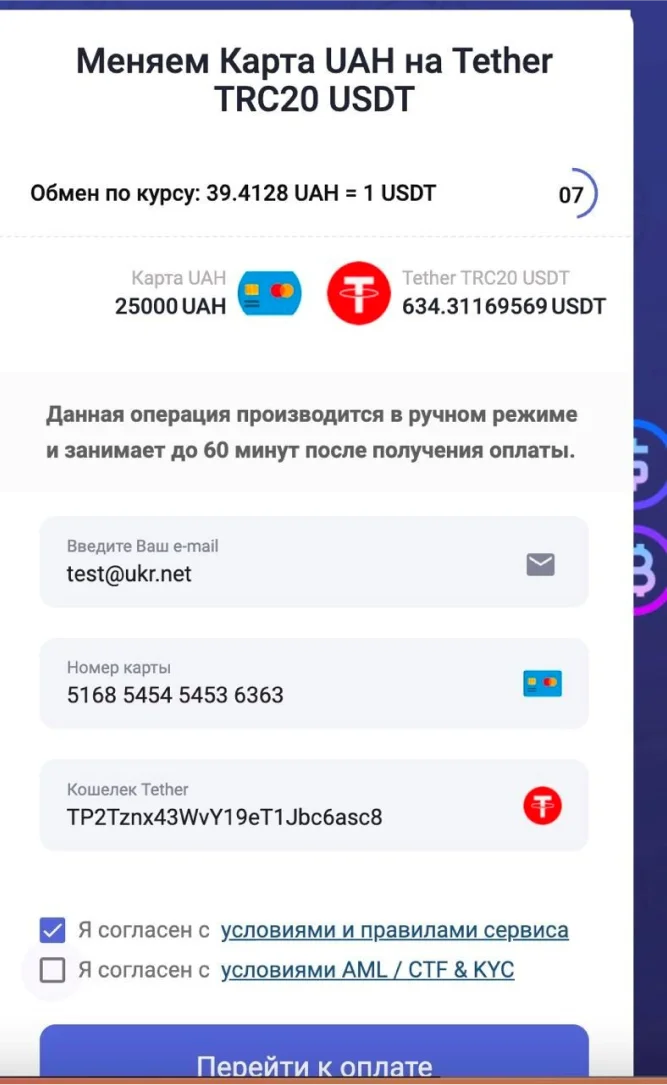
To create an order; you should also check the exchange pair. Enter the email, the card number from which you send money, and your wallet address. But where will I get it?
Enter the already created Binance exchange using the above-mentioned guide.
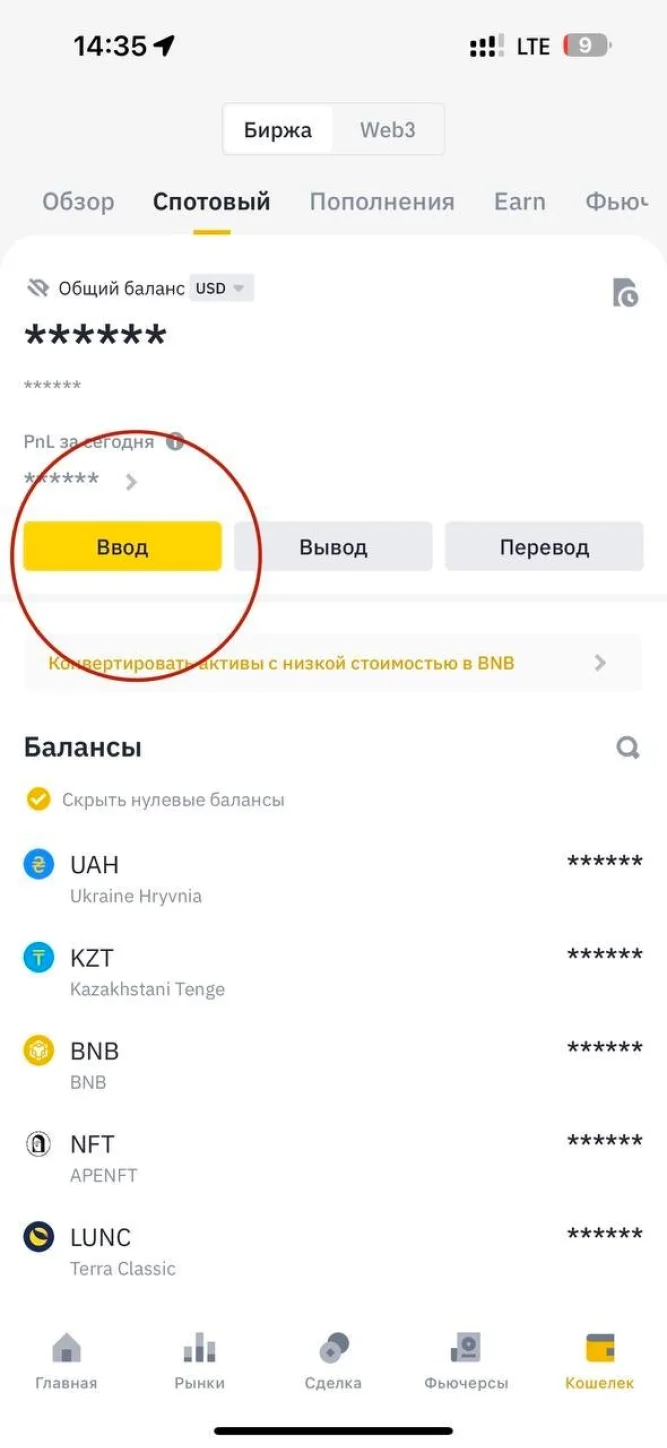
Go to the bottom column of the ‘Wallet’ section and click the yellow ‘Enter’ button:
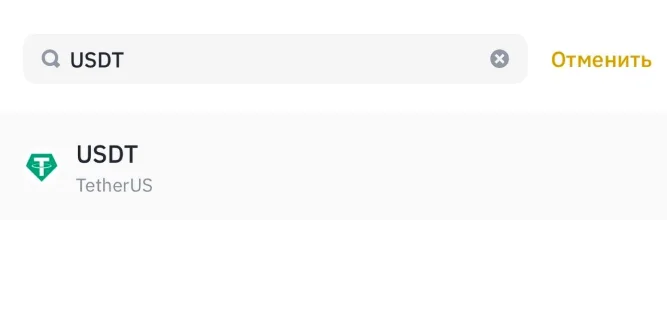
Next, you need to write in the search bar the coin name that you want to enter. It will be USDT, in our case:
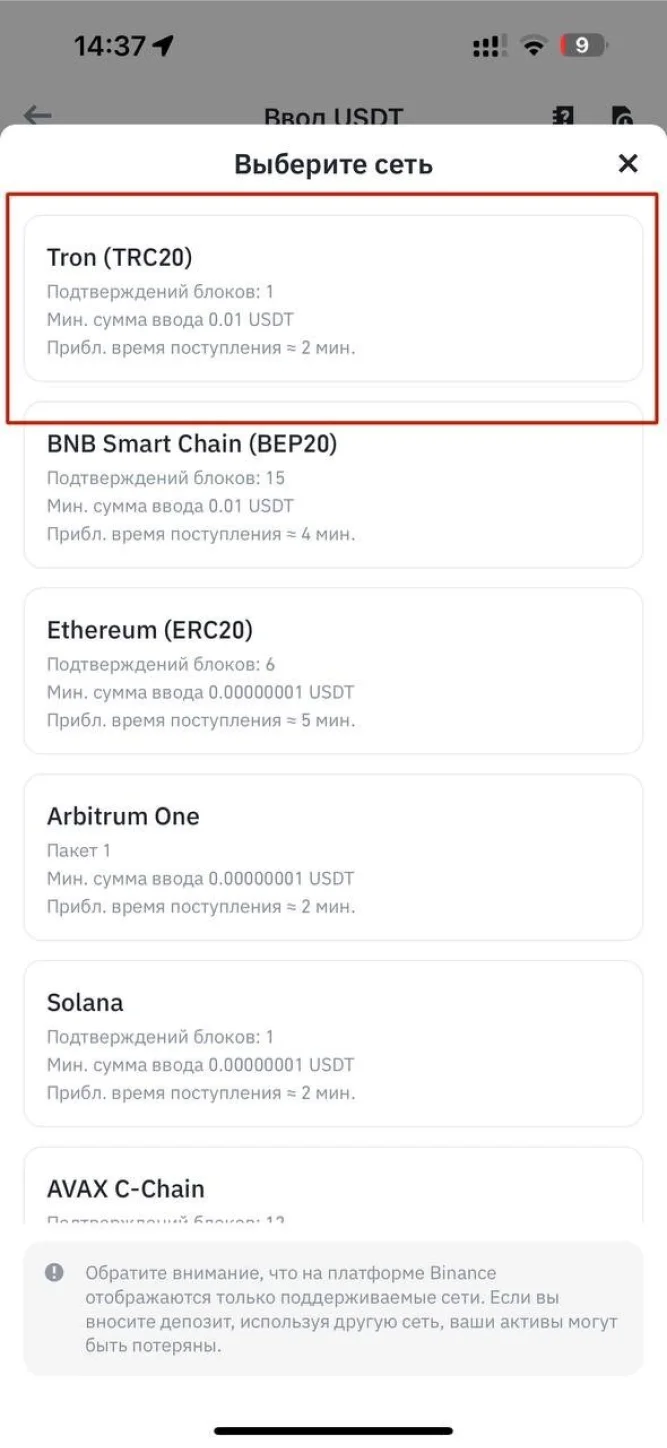
As I said before, keep an eye on the transaction network! It will be the Tron TRC20, in our case.
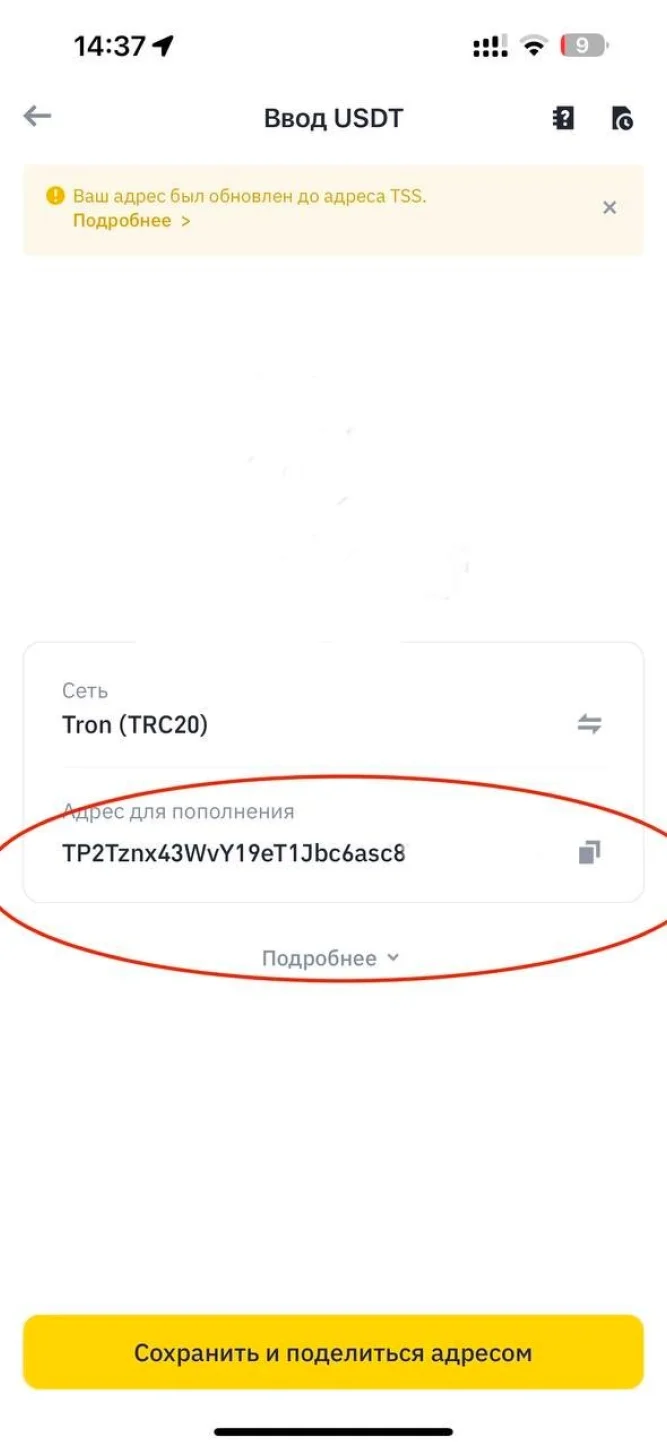
In fact, this is your wallet address! Always double-check its name using the last and first digits after you have done the copy-paste.
Now let’s continue working with exchange! All the data has been entered and you can create an order!
You received the payment details:
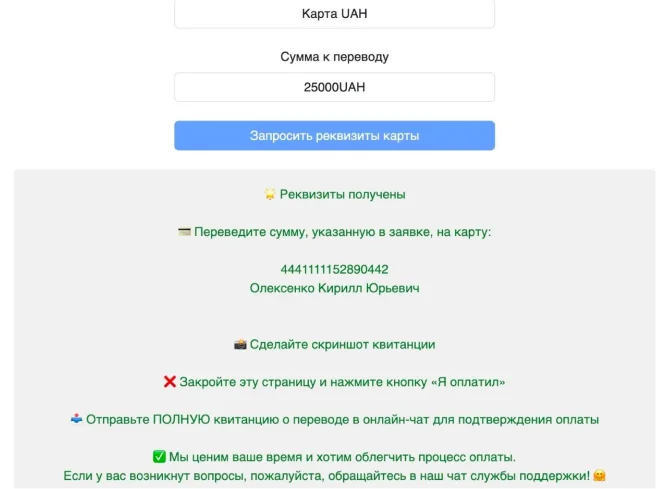
Wait for the payment details and send the certain sum. After that, your USDT will come to your wallet!
Also, this method can be used for buying USDT straight to your wallet and saving money on commission. Where can you get a number of the gaming wallet?
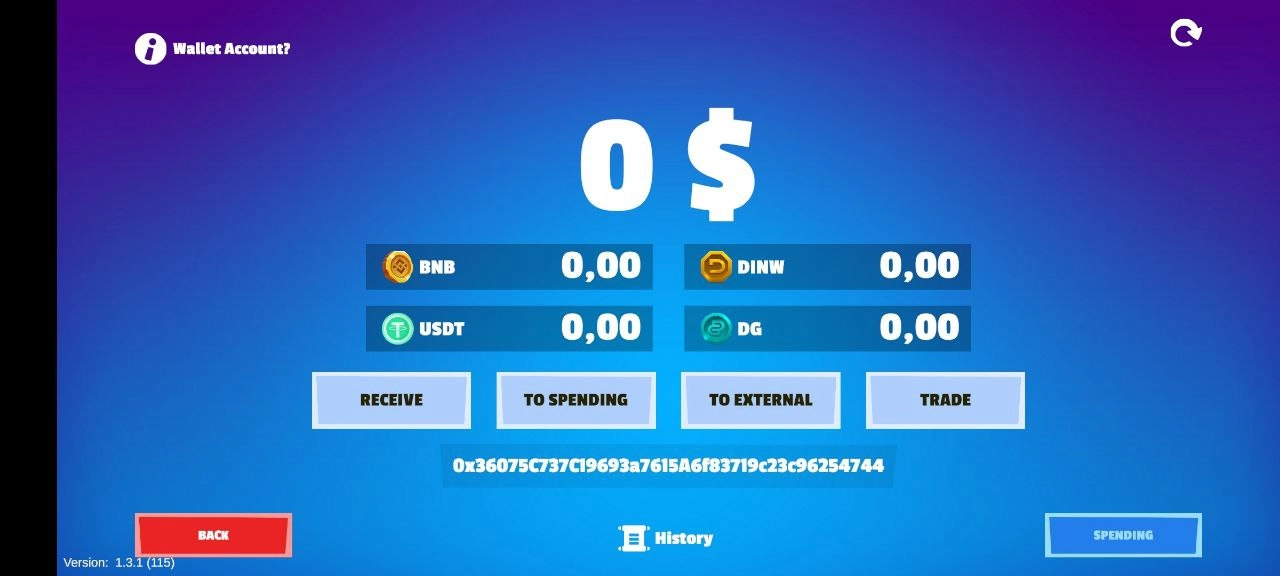
Click the «RECEIVE» button in your wallet:
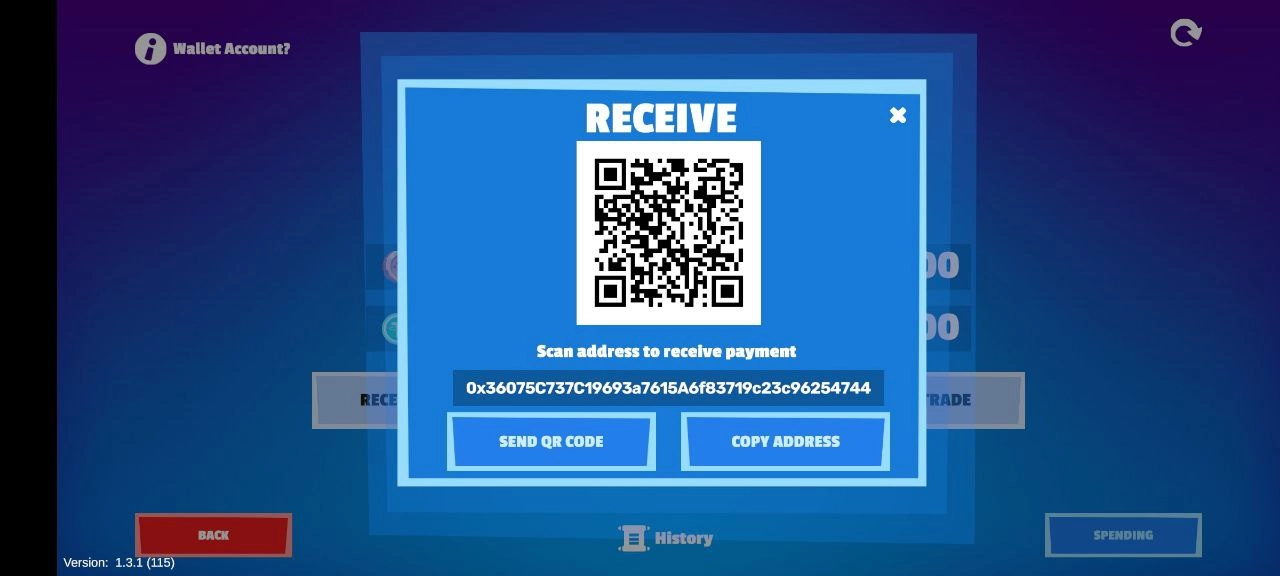
Next, click the ‘COPY ADDRESS’ and transfer USDT to it.
! IMPORTANT: transfer coins in the BEP20 network.
After the transaction is completed, reload the wallet page so that the coins are displayed. Click the purple button in the upper right corner.