
If you are a newbie in crypto, we recommend you first of all read the entire article, so as not to take
unnecessary actions ❤️️
How to Deposit DG Token
STEP 1. Place a USDT coin into your game wallet.
P.S. If you are a beginner and don’t know how/where to buy and deposit USDT, follow the link – Link
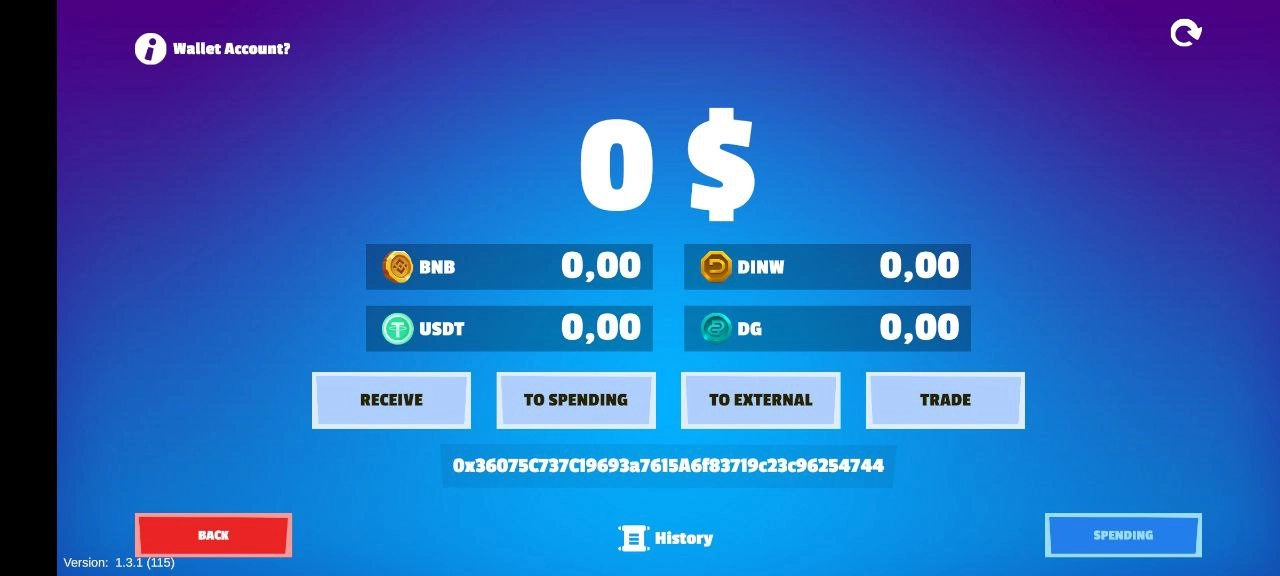
Click on the «RECEIVE» button in your wallet:
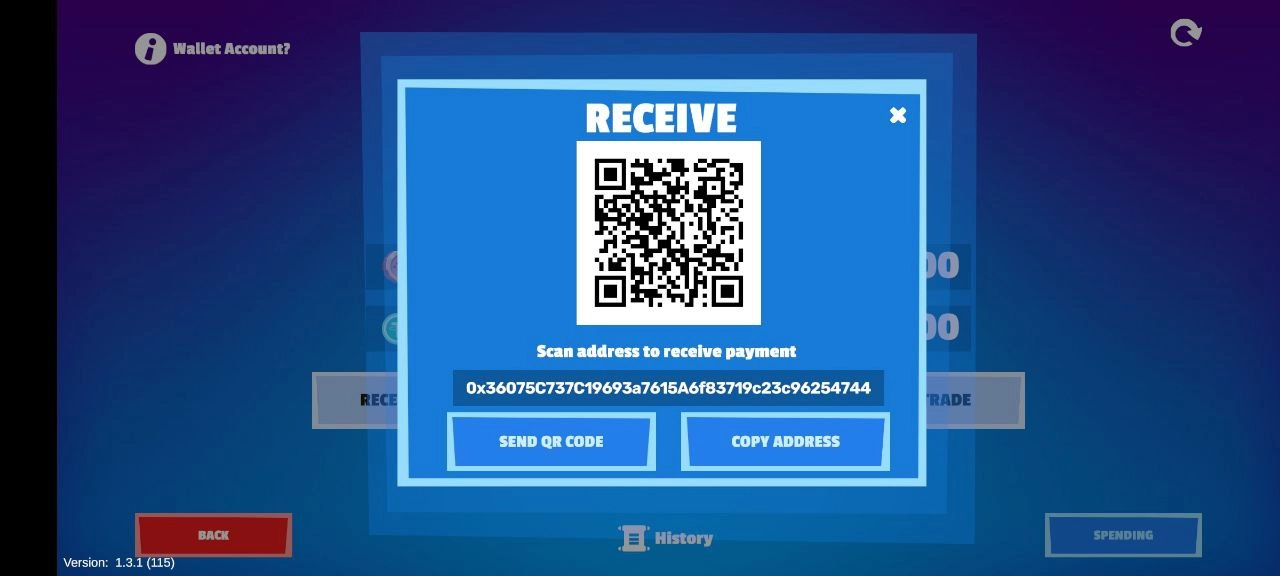
Next, click on «COPY ADDRESS» and transfer USDT to it.
! IMPORTANT: Transfer coins on the BEP20 network.
After the transaction is completed, reload the wallet page so that the coins are displayed. Click on the purple button in the upper right corner.
STEP 2. Place a BNB coin on your game wallet to pay for gas for exchange and transfer transactions - more than one dollar (for gas it will cost less, but $1 is the necessary amount to avoid errors).
The procedure is exactly the same as the above-described one with USDT, only transfer the BNB coin.
P.S. If you are a newbie and don't know where to get BNB, follow the link –
STEP 3. Change USDT to DG:
To do this, go to your wallet and click the Trade button
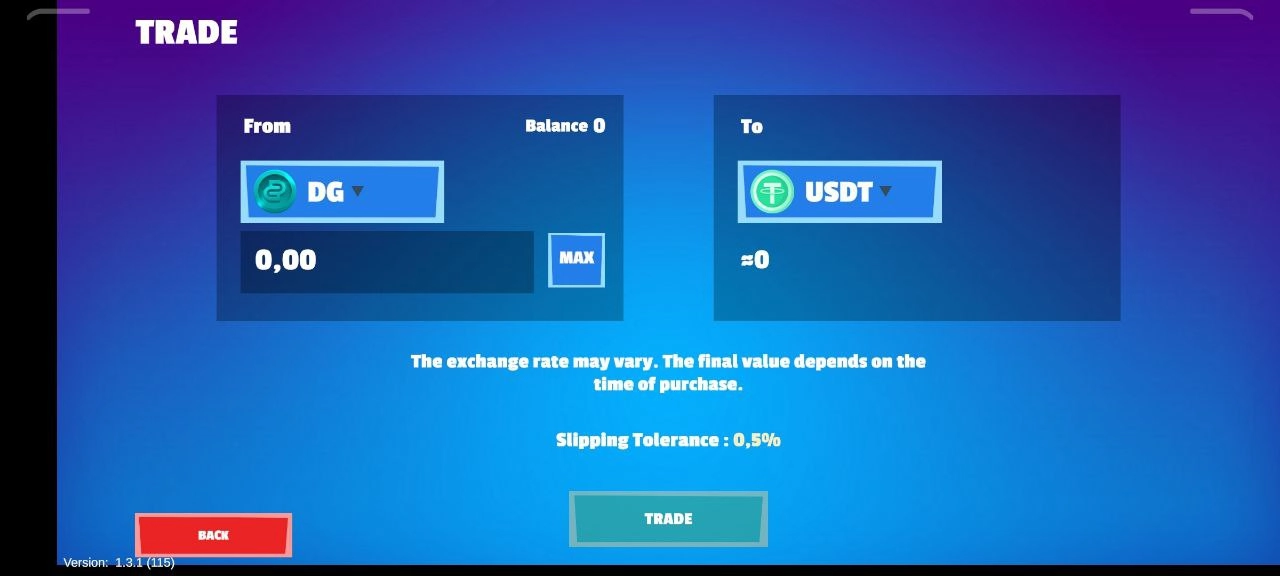
Next, in the left window, select the coin you want to exchange. In this case – USDT. And in the right window - the coin you want to receive in return. In this case - DG. Click on the “TRADE” button:
After the transaction is completed, reload the wallet page so that the coins are displayed. Click on the purple button in the upper right corner.
STEP 4. Send DG to Spending:
Spending is an in-game wallet in which you make all purchases and bets for battles.
In your wallet, click the Transfer button:
Next, click the To spending button:
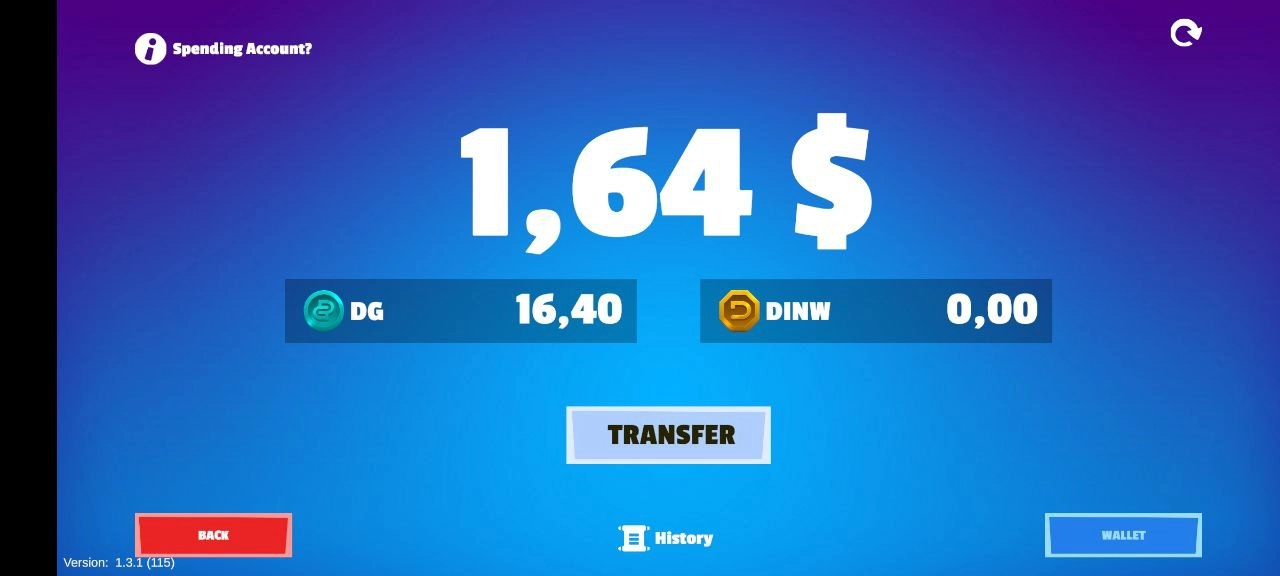
In the menu that appears, on the left side, select the coin you want to transfer. In this case - DG. On the right side is the amount you want to transfer. And click “CONFIRM TRANSFER”.
Congratulations, you are ready to play 🤜🤛